







Most blog posts don’t fail because of bad writing. They fail because the content isn’t organized in a way that search engines can read or visitors can follow. Here’s how to fix that, without starting over.
There’s a specific kind of frustration that comes from publishing blog posts and watching them sit quietly while your ideal clients find someone else’s content. The usual advice is to write more. Post more consistently. Show up more.
More posts with poor structure just means more invisible content. Before hitting publish on anything new, it’s worth looking at how what you already have is organized. That’s what this guide is about.
Blog post architecture (how your posts are structured, from your headings to your opening hook to the way each piece connects to the next) is one of the highest-leverage things a small business owner can get right. And it’s one of the most consistently skipped.
What Is Blog Post Architecture, and Why Does It Matter for Small Businesses?
Strip away all the fancy techie talk and it comes down to this. Your blog needs a clear skeleton. Every post should have a defined purpose. Every section within that post should follow a logical order. And the way those posts connect to each other should make sense to a human reading your content and to Google crawling it.
What Clear Structure Actually Looks Like
Think about the last time you landed on a blog post and immediately knew you were in the right place. The headline told you exactly who it was for. The sections were easy to scan. You didn’t have to hunt for the information you needed. That clarity is intentional, and it’s the result of deliberate structure.
Without it, even genuinely useful content gets buried. Readers leave. Search rankings stay flat. And your blog becomes a source of frustration rather than a tool that quietly builds trust and brings in new clients.
RELATED READING
Does Your Heading Hierarchy Communicate What You Do, or Just Fill Space?
Headings are not decoration. They’re structure. Every blog post should move through a logical hierarchy: one H1 at the top that states the post’s core topic, H2s that organize the major sections, and H3s that break down details within those sections.
Search engines use this hierarchy to understand what your post is about and how thoroughly you’ve covered it. Readers use it to scan and decide whether to keep reading. Both of those things matter enormously for a blog meant to attract and build trust with your ideal clients.
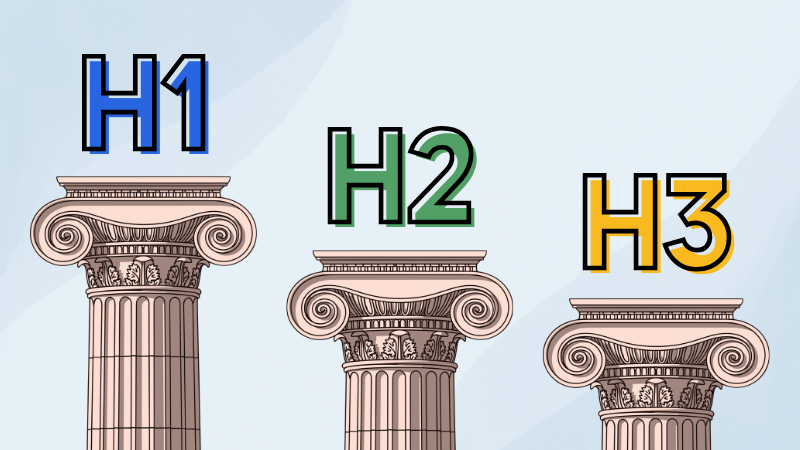
Your H1 should earn its place
A strong H1 contains your primary keyword and makes a clear promise. It tells a reader within two seconds whether this post is relevant to them. “How to Manage Anxiety Without Medication” does that work. “Some Thoughts on Anxiety” does not. One H1 per post, always.
Your H2s should reflect how your clients actually search
The most effective H2s mirror the real questions your clients are typing into Google. Writing them as questions isn’t just an SEO tactic. It’s a way of organizing your content around your client’s reality rather than your internal categories. It also increases your chances of showing up in Google’s featured answer snippets, and in AI-generated search summaries.
Your H3s help people find what they came for
H3s break larger sections into digestible pieces. They let readers scan for the specific information they need, which reduces bounce rates and keeps people on the page longer. This post is a perfect example. You’re reading this under the heading “Your H3s help people find what they came for.” A well-constructed heading hierarchy signals to search engines that you’ve covered a topic with real depth.
PAUSE AND REFLECT
Open one of your recent blog posts and read only the headings, nothing else. Can you tell who the post is for, what problem it addresses, and what someone should do next? If the headings don’t answer all three of those questions, that’s where to start.
What Should Every Blog Post on Your Website Actually Include?
Sometimes blog posts are where first-time visitors decide whether to trust you. That makes them higher-stakes than most people treat them, and the ones most often written in a way that buries the point.
Try opening with the problem, not the answer
The first paragraph of a blog post can make the reader feel seen before it tries to be useful. Name the situation they’re in. Acknowledge what’s frustrating or confusing about it. That moment of recognition is what keeps someone reading instead of hitting the back button.
Write for one person, not a general audience
The biggest mistake bloggers make is writing for everyone. A post that tries to speak to all small business owners ends up resonating with none of them. The more specifically you name who you’re writing for and what they’re struggling with, the more powerfully the right person connects with it. Specificity feels like it shrinks your audience. In practice it deepens their trust.
End with one clear next step
Every blog post should close with a single action that matches where the reader is in their journey. Not a hard sell. One natural next step. “Read this next” or “download this checklist” works better than “contact us” because it meets the reader where they actually are — still learning, not yet ready to buy.
✅ Blog Post Self-Audit
What Are the Structural Mistakes That Keep Good Content from Ranking?
These aren’t beginner mistakes. They show up on the sites of capable, established business owners all the time, usually because no one explained that this layer of structure matters.
Using bold text instead of actual headings
Bold text is for emphasis within a sentence. It’s not a heading. When you bold a phrase instead of using an H2 or H3 tag, search engines don’t register it as structure. Your page looks organized to the eye while remaining invisible to Google.
Ignoring the invisible structure
Meta titles, meta descriptions, and URL structure are things visitors rarely see but that Google reads before anything else. A clear meta title helps your page rank. A well-written meta description improves your click-through rate from search results. A clean URL builds trust before someone even lands on your page. Tools like Yoast SEO make managing these practical on WordPress without requiring a developer every time something needs updating.
RELATED READING
How Do Internal Links Help Your Visitors and Your Search Rankings?
When you link from one page on your site to another, you’re doing two things simultaneously. You’re helping a real visitor find something related and useful. And you’re telling search engines how your content connects, which helps them understand your expertise more fully.
Links distribute ranking authority across your site. Posts that receive more internal links tend to rank better. The key is that links need to feel like a natural next step for the reader. Use anchor text that describes where you’re sending someone. “How to optimize your homepage” is useful anchor text. “Click here” is not.
ACTION STEP
Identify three blog posts on your site that could be linking to each other but currently aren’t. Write the anchor text you’d use for each one. If you can’t write natural-sounding anchor text, that’s a sign the connection between those posts isn’t clear enough yet.
How Do You Know If Your Content Structure Is Actually Working?
Structure without measurement is just faith. The data tells you where the real problems are, and often it’s not where you’d expect.
Start with the pages that matter most
In Google Analytics, look at your most important pages. How long are people staying? What’s the bounce rate? Are those pages leading to contact form submissions or inquiries? High traffic with low conversions usually points to a structural or clarity issue on the page, not a traffic problem.
See where people actually stop reading
A tool like Hotjar gives you heatmaps and scroll depth data, showing exactly where visitors lose interest. If people consistently drop off before reaching your call to action, the solution is often as simple as moving it up the page or improving what leads into it.
Give structural changes time to register
Structural SEO improvements take time to show up in search results. After a significant update, plan to wait 60 to 90 days before drawing conclusions. What you’re looking for is a gradual upward trend, not an overnight transformation.
RELATED READING
Does Your Blog Structure Differ From Your Service Pages?

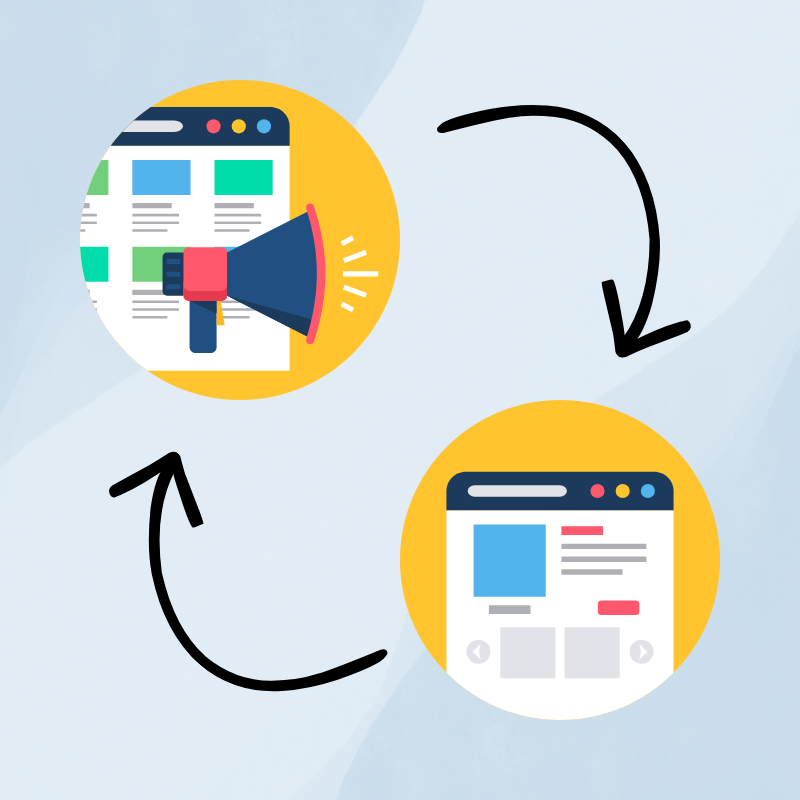
Yes, because they’re doing different jobs. Blog posts are built to attract and build trust before someone is ready to hire anyone. Service pages are built to convert. The heading hierarchy still matters on both. The meta structure still matters on both. But the goal of the content shifts.
A service page goes deeper on what you offer and who it’s for, with a direct call to action at the end. The blog post that brought someone there did the warming-up work first. That’s the relationship between the two. Your blog attracts, your service pages close. When both are structured well, they work as a system rather than a collection of disconnected pages.
RELATED READING
What Does a Strategic Blog Approach Look Like in Practice?
Most blogs are built post by post, with topics chosen on a whim or whenever inspiration strikes rather than to serve a specific function. The result is a collection of content that looks active but doesn’t work as a system. When strategy comes first, everything changes.
1
Map your posts to your reader’s journey, before writing a word
Where is your ideal client in their decision process? Just becoming aware of a problem? Comparing options? Nearly ready to hire someone? Those answers determine what posts need to exist, what they need to say, and how they lead someone closer to working with you.
2
Give every post a single job
Some posts attract new readers from search. Some build trust with people already in your world. Some warm up a reader who’s nearly ready to take action. When each post has a clear, singular purpose, the structure almost writes itself.
3
Build heading hierarchy around real searches
Keyword research here isn’t about stuffing phrases in. It’s about understanding exactly what your ideal clients are typing into Google and building your structure around those queries. H1s and H2s come from that research, not from whatever felt interesting to write about that week.
4
Connect pages intentionally
A well-structured site is a system. Blog posts link to service pages. Service pages surface related resources. Internal linking is planned, not accidental.
5
Review on a real timeline
Plan structured review points at 30, 60, and 90 days after launch or after major updates. Look at what’s working and what isn’t. Good structure is a foundation, not a finish line.
Content Architecture Checklist
🗂️ Full Blog Audit: Content Architecture Checklist
Frequently Asked Questions About Website Content Structure
Blog post architecture is the way each post is organized — from the heading hierarchy to the opening hook to how each post connects to the next. It determines whether search engines can understand what your post is about and whether readers can follow it clearly enough to take the next step.
The most common cause isn’t a lack of posts. It’s a lack of structure. Search engines use your heading hierarchy, meta titles, meta descriptions, and URL structure to understand what each post is about. Without clear structure, even genuinely useful content stays invisible. Start by auditing your H1s and meta titles before writing anything new.
Internal links help search engines understand how your posts relate to each other and distribute ranking authority across your site. Posts that receive more internal links tend to rank better. They also keep readers on your site longer by surfacing related content. Use descriptive anchor text that tells both readers and search engines what the linked post is about.
Long enough to fully answer the question your reader came with, and no longer. For most topics a small business owner would write about, that’s somewhere between 800 and 1,500 words. What matters more than length is whether your heading hierarchy covers the topic with enough depth that search engines consider it a thorough resource.
Most structural improvements take 60 to 90 days to reflect meaningfully in search rankings. Plan review points at 30, 60, and 90 days after making changes. Look for gradual upward trends in rankings and engagement rather than expecting overnight results.
WORK WITH BAY LAUREL SOLUTIONS
Your website should be working harder than this.
If your site looks good but isn’t generating leads, it’s usually a strategy problem, not a design problem. That’s exactly what our Online Success Program is built to address: a focused conversation where we look at what your business needs your website to do, and map out a clear path to get there.
The session fee is credited toward your project if you move forward. Get your clarity.